
Star Trek Outposts Unknown Metal Collector: Setup Guide
Get your Star Trek Outposts Unknown metal collector working with tips on crew assignments, early metal gathering, resource delivery, and outpost logistics.
Jump to
What Does the Metal Collector Do?
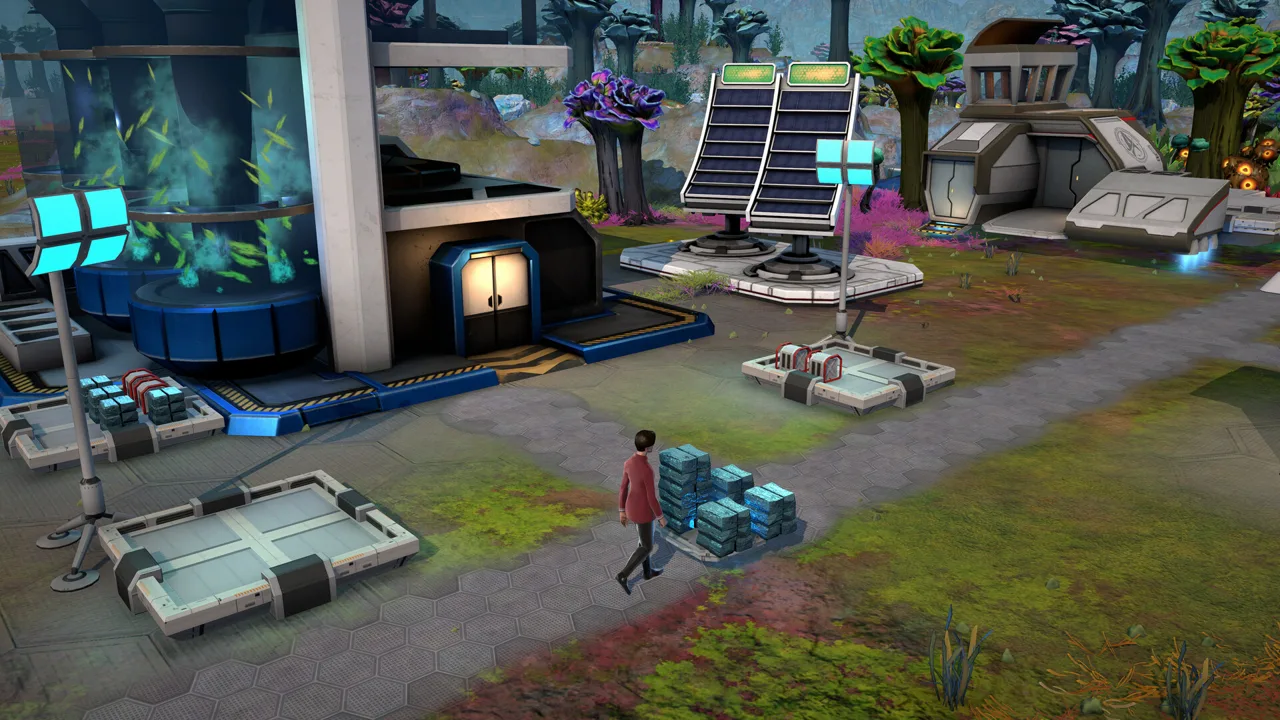
The Star Trek Outposts Unknown metal collector lets assigned crew gather metal automatically, helping you move beyond individual collection orders. That matters because early construction needs metal before your outpost has a steady supply. Getting your Star Trek Outposts Unknown metal collector working means handling the whole job: investigating deposits, gathering construction materials, completing the structure, and assigning crew.
The collector’s automation still involves your people. Crew assigned to it perform the gathering, so staffing deserves as much attention as construction. The demo’s pacing update increased how quickly those assigned crew collect metal, reinforcing the value of giving the building workers.
| Metal collection detail | How it works |
|---|---|
| Manual collection in the demo | Select individual researched rocks and use the collect command |
| Metal Collector operation | Assigned crew gather material automatically |
| Collector construction in the demo | Requires basic metal |
| Demo pacing update | Increased metal collection speed for crew assigned to the collector |
Think of the collector as part of a working resource chain. Gathering metal supports construction, but resources also have to reach the projects that consume them. A building site waiting for materials needs attention even while collection continues elsewhere.
For your Star Trek Outposts Unknown metal collector, separate three questions: Is construction finished? Are crew assigned? Is the gathered material reaching the project you need? Check each stage before adding another construction order.
Keep the immediate objective in view. The opening shuttle pad, an Operations Center upgrade, and a requisition can compete for your attention. Choose which demand to address before spreading your crew across additional jobs.
Official page: Star Trek Outposts Unknown (playstack.com)
How to Start Collecting Metal in the Demo
The demo opening introduces metal through exploration and investigation before asking you to establish more permanent infrastructure. Follow that sequence to understand how deposits, collection orders, and construction connect.
 Image: Steam / Magic Fuel Games
Investigate the mineral deposit
Investigate the nearby mineral deposit when the opening objectives introduce it. The demo requires investigation before you can collect the highlighted material.
Science officers investigate rocks faster in the updated demo. Assign a Science officer to that task when you want to move through the investigation sooner, while keeping the rest of your crew’s workload in mind.
The updated demo also starts with the camera facing a metal-rich area. Inspect that opening view before sending crew farther across Daegus.
Gather basic metal manually
After investigating the rocks, select individual rocks and use the collect command. Manual collection provides a way to obtain basic metal while you work toward the collector.
The Star Trek Outposts Unknown metal collector itself needs basic metal for construction in the demo. Keep manual gathering moving while you prepare to build it, and check which construction projects are already waiting for deliveries.
| Demo opening task | Player action |
|---|---|
| Investigate the deposit | Send crew to investigate the highlighted rocks |
| Collect basic metal | Select researched rocks and issue collection orders |
| Establish the Operations Center | Follow the opening construction objective |
| Build the shuttle pad | Gather and deliver metal to its construction site |
| Establish collector operation | Complete the Metal Collector and assign crew |
Finish construction and assign crew
A placed construction project still needs materials and building work. Check the collector’s construction progress before expecting automatic gathering.
Once it is complete, assign crew to it. The distinction matters: constructing the building and staffing it are separate parts of getting metal collection running.
During the demo’s opening shuttle objective, crew must also deliver metal to the shuttle pad construction site. Watch that delivery work alongside your collector project. Keep the objective’s required materials in focus so you can see where your gathering effort is going.
Why Metal Collection and Delivery Slow Down
When construction stalls, inspect the resource chain from the deposit to the destination. A shortage at the building site can involve gathering, crew availability, or transport.
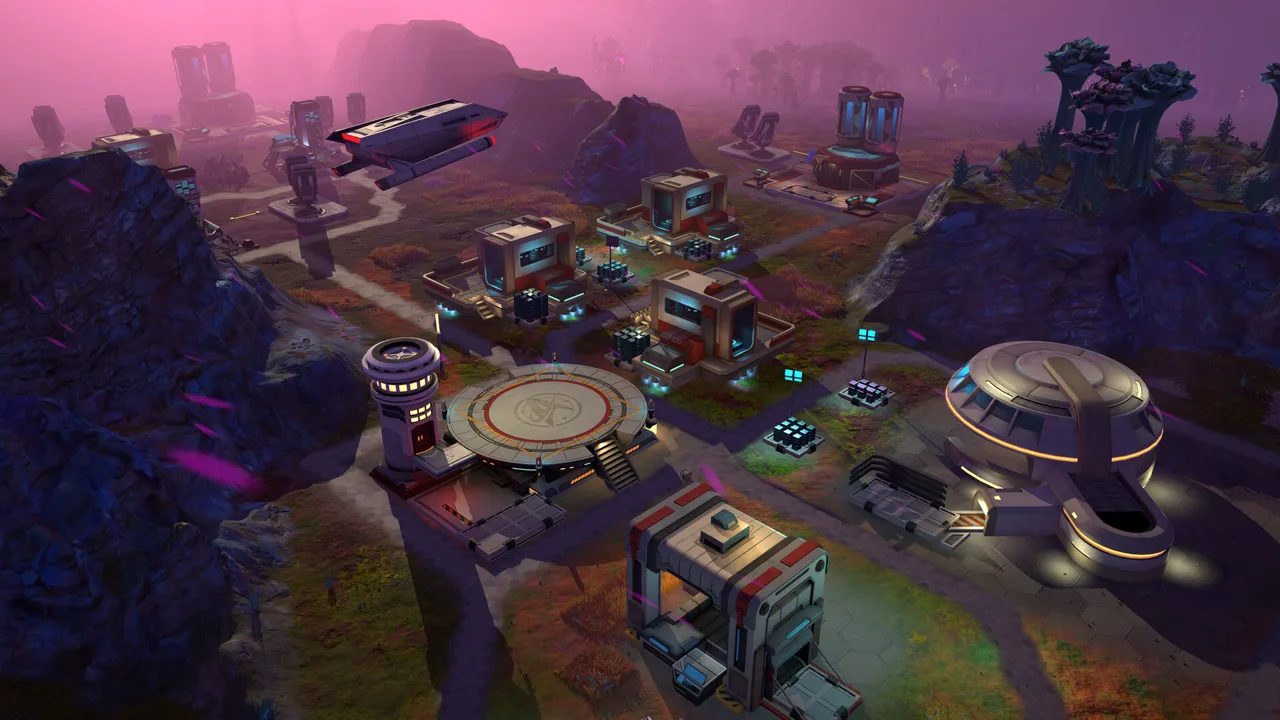 Image: Steam / Magic Fuel Games
Your Star Trek Outposts Unknown metal collector is one part of that chain. Check its operation, then follow the material onward.
| Stage to inspect | What to check |
|---|---|
| Deposit preparation | Whether the rocks have been investigated in the demo |
| Collector construction | Whether the structure is complete |
| Crew assignment | Whether crew are assigned to the collector |
| Work schedule | Which crew are working the current shift |
| Resource delivery | Whether materials are reaching the waiting project |
| Crew safety | Whether threats or Tetryon exposure are interrupting work |
Check the construction site
In the demo, gathering metal and delivering it to construction are distinct jobs. Inspect the waiting building’s material progress, then look at what nearby crew are doing.
Use the demo’s priority controls to focus attention on the project you want completed. Keep your priorities consistent with the current objective; several competing projects make it harder to follow where resources are going.
Before placing more buildings, check the ones already waiting. Count the demands on your existing metal supply, then choose the next project to support.
Account for travel
Resource transport is a substantial part of outpost management. Ground and air vehicles help move materials between facilities, and the game’s logistics extend across large planetary environments.
Plan expansion with those journeys in mind. Leave room for the infrastructure your outpost needs, and consider how far materials must travel between collection, storage, and construction.
Inspect the route serving a delayed project before expanding the gathering operation. Follow the crew carrying its materials so you can see the journey involved.
Respond to hazards
Tetryon exposure can disrupt your work. In the demo, radiation harms crew and slows their movement, while buildings also suffer its effects.
Check crew health when work slows during a storm. Use medical support and Engineering maintenance as needed, and consider protection when choosing where to expand.
Shield Emitters require rare processed materials. Plan protected expansion alongside the resources needed to build it, especially when your outpost is already supporting several construction projects.
Plan Crew Shifts Around Metal Demand
The Star Trek Outposts Unknown metal collector depends on assigned crew, making shift planning part of resource planning.
 Image: Steam / Magic Fuel Games
The launch version includes day and night shifts, with control over which crew work each schedule. It also provides improved ways to manage and track those shifts. Review the schedule when your outpost’s work changes across the day and night.
Match gathering assignments to the construction you are actively pursuing. Keep an eye on the people handling investigation, building work, and material delivery as well.
Use these checks when reviewing your workforce:
- Inspect collector assignments. Confirm that crew are assigned to the completed structure.
- Review the active shift. Check who is scheduled to work at the current time.
- Check crew condition. Look for injuries or radiation exposure affecting the people doing the work.
- Review competing tasks. Align priorities with the construction objective you want to finish.
- Inspect living arrangements. Account for housing and support as your planetary workforce grows.
Planetary housing, mess halls, and medical facilities support the move toward a self-sufficient outpost. These systems become especially important when the U.S.S. Resonant needs to leave for another destination.
Before sending the ship elsewhere, check the supplies supporting the crew who remain. A functioning collection operation belongs within an outpost that can sustain its workforce.
Fit Metal Collection Into the Larger Outpost
As your base develops, the Star Trek Outposts Unknown metal collector becomes one component in a much wider logistics network. The game includes 55 unique resources, with production involving research, harvesting, refining, combining, and transport.
Keep resource names precise when planning construction. Basic metal, Polyalloy, Duranium, Dutronic Chips, and Memory Banks appear within that broader economy. Check the material required by the specific project you are building.
Resource tooltips show where materials can be found or produced. Use them when a construction requirement sends you beyond the resources you already understand.
| Outpost system | Role in the wider logistics network |
|---|---|
| Resource tooltips | Show where resources can be found or produced |
| Storage | Holds resources and supports their organization |
| Power, water, and compute | Supply operating requirements across production buildings |
| Pipes and conduits | Carry services while occupying space in the outpost |
| Ground and air vehicles | Help transport resources between facilities |
| Interplanetary transfers | Supply resources where a planet has a local shortfall |
These are broader outpost systems; inspect each building’s own requirements when connecting your production network. Production buildings need their particular inputs and services to operate.
Leave space for pipes and conduits as you expand. Their footprint affects how you arrange facilities, making infrastructure part of the layout from the start.
Use resupply alongside local gathering
Periodic resupplies bring additional crew and key resources through passing ships. The U.S.S. Resonant also supports planetary operations while an outpost develops toward self-sufficiency.
Inspect available resupply when construction needs materials. Account for the support requirements of new personnel before expanding your workforce, and check ship storage when the surface needs supplies.
Once resource transfers between planets become part of your operation, use them to address local shortfalls. Each world has its own environments and resources, so plan supply around the needs of the outpost you are supporting.
Keep checking your Star Trek Outposts Unknown metal collector as the base grows. Review its staffing alongside storage, delivery work, and current construction demand. Follow the material all the way to its destination whenever an important project stops moving.
FAQ
How does the Star Trek Outposts Unknown metal collector work?
Crew assigned to the Metal Collector gather metal automatically. In the demo, you also need basic metal to construct it, so manual gathering helps you establish the building.
How do you collect metal before building a collector?
In the demo, investigate the mineral deposit first. Then select individual researched rocks and use the collect command to direct crew to gather their material.
Why is construction waiting while metal is being collected?
In the demo, gathered metal still needs to reach the construction site. Inspect delivery progress, crew assignments, current shifts, and competing priorities. During hazardous conditions, check the health of the crew doing the work.
Did the demo update make metal collection faster?
Yes. The demo pacing update increased collection speed for crew assigned to the Metal Collector. It also made rocks faster to investigate, with Science officers receiving an additional advantage in that task.
Continue with
 Star Trek Outposts Unknown Outpost Building: Starter TipsStar Trek Outposts Unknown outpost building guide: plan utilities, manage supply chains, protect your crew, and prepare research bases for alien worlds.
More in Buildings
See all Buildings
Quick access
Star Trek Outposts Unknown Release Date: Out Now on PC
Star Trek Outposts Unknown release date was October 20, 2026. Explore PC launch details, the $32.99 price, Mac plans, and tips for your first outpost.

Star Trek Outposts Unknown Demo Removed: What Happened?
Star Trek Outposts Unknown demo removed? Learn why the trial ended, what changed before launch, and how to play the full Steam release on Windows PC today.
Star Trek Outposts Unknown Guide: Build and Survive
Use this Star Trek Outposts Unknown guide to manage crew, fix resource bottlenecks, protect your outposts, and prepare for planets in the X’Lehari System.

Star Trek: Outposts Unknown Food Guide: Feed Your Crew
Master Star Trek Outposts Unknown food with tips on food proteins, mess halls, cargo transfers, and organic supplies. Keep your crew fed on alien worlds.
Join the community
Official channels for news, updates and player help: